Between April 5 and April 7, 2026, a coordinated backdoor attack silently activated across more than 20,000 WordPress websites worldwide. The attacker didn’t hack a server. They bought a legitimate plugin business, waited eight months, then flipped a switch.
This is what a supply chain attack looks like. And it’s the most dangerous kind of WordPress threat, because your security tools never see it coming.
What Exactly Happened
An attacker using the name “Kris” purchased a plugin portfolio called Essential Plugin through the Flippa marketplace — reportedly for a six-figure sum. The portfolio contained more than 30 individual plugins with a combined active install base exceeding 20,000 WordPress sites.
After acquiring the plugins, the attacker injected 191 lines of malicious code into the wpos-analytics module — a component that had previously operated as a legitimate analytics utility.
- The backdoor used PHP’s
unserialize()function — a well-known PHP attack vector — to execute arbitrary commands - Command-and-control (C2) communication was routed through Ethereum smart contracts, bypassing traditional domain-based blocklists entirely
- The backdoor lay dormant for eight months after insertion, propagating quietly to thousands of sites via normal plugin updates
- On April 5–6, 2026, it activated simultaneously across all affected sites
- For roughly seven hours, a C2 server distributed payloads before the WordPress.org security team identified the compromise
- WordPress.org permanently removed all 31 affected plugins from the repository on April 7
Why This Attack Is Different
Most WordPress attacks exploit known vulnerabilities in outdated plugins. You patch the plugin, the threat goes away. Supply chain attacks are fundamentally different: the plugin itself becomes the weapon.
The plugins involved were legitimate, actively maintained, and in good standing on WordPress.org. They passed code review. They had real reviews and user bases. There was no “bad” version to avoid — every version after the purchase was weaponized.
The Blockchain C2: Why It Was Hard to Stop
Traditional security tools block malicious domains and IP addresses. The attacker routed their C2 communications through Ethereum smart contracts using blockchain RPC endpoints. There is no domain to block. The infrastructure is decentralized and cannot simply be taken down. This allowed the backdoor to operate for hours before detection.
Are You Still At Risk Right Now?
If you installed any of the affected “Essential Plugin” suite plugins before April 7, 2026, the malicious code may still exist on your server even if you’ve since deleted or updated the plugin. Malware that already executed may have dropped secondary payloads — webshells, rogue admin accounts, or persistence mechanisms.
Immediate Actions: What to Check
- Audit active plugins: Check if any of your plugins were part of the “Essential Plugin” portfolio. WordPress.org has removed all 31 — if you can no longer find them in the repository, that’s a red flag.
- Scan your uploads folder: The attack used PHP deserialization. Check your
wp-content/uploadsdirectory for.php,.phar, or.phtmlfiles — none should be there under normal circumstances. - Review admin accounts: Log into your WordPress dashboard → Users → Administrators. If you see accounts you didn’t create, your site is compromised.
- Check for modified core files: Compare your core WordPress files against the official checksums from WordPress.org. Any modified
wp-adminorwp-includesfiles are a critical signal. - Rotate all credentials immediately: Change your WordPress admin password, database password, hosting panel password, and any API keys stored in
wp-config.php. - Check your server for backdoor signatures: Look for patterns like
eval(base64_decode(,eval(gzinflate(, or$_POSTbeing passed tosystem()orexec()in your PHP files.
The Broader Problem: The WordPress Plugin Marketplace Has a Trust Gap
This attack exposes a structural vulnerability in the WordPress ecosystem. When a developer sells a plugin, the new owner inherits the existing trust relationship with every site running it. Automatic updates mean the transfer of ownership becomes a transfer of access to tens of thousands of sites.
WordPress.org has no mandatory disclosure requirement when a plugin changes ownership. The community found out only after the backdoor activated.
What WordPress.org Is Doing (And What They Can’t)
- The WordPress security team responded within hours and removed all 31 plugins on April 7
- Automatic plugin removal was pushed to affected sites where auto-updates were enabled
- However: plugin removal does not clean malware already executed on your server
- There is no built-in WordPress mechanism to detect whether a PHP deserialization attack already ran on your site
How to Actually Harden Against Supply Chain Attacks
Waiting for WordPress.org to catch the next attack is not a security strategy. Here’s what active protection looks like:
1. Block PHP Execution in Uploads
No legitimate WordPress functionality requires PHP files in your uploads folder. Adding an .htaccess rule to deny execution of .php, .phar, and .phtml files in wp-content/uploads eliminates an entire class of post-exploitation persistence.
2. Run Regular Deep File Scans
A full malware scan — not just a plugin list check — scans actual PHP file content for signatures like eval-decode chains, superGlobal injection into shell functions, and known dropper filenames (c99shell, WSO, AnonymousFox, and dozens more). Run this at least weekly, more frequently after any plugin update.
3. Monitor Core File Integrity
WordPress publishes official checksums for every core file in every version. Comparing your live files against those checksums detects any post-attack modification to wp-admin or wp-includes instantly.
4. Enable TOTP Two-Factor Authentication
Even if an attacker backdoors a plugin and creates a rogue admin account, 2FA (TOTP — Time-based One-Time Password, the standard used by Google Authenticator and Authy) prevents them from logging into the dashboard with that account.
5. Get Notified — Don’t Poll
Scheduled automated scans that email you on critical findings catch problems between your manual checks. An attack that activates on a Tuesday morning needs to be caught before Thursday.
One Tool That Covers All of This
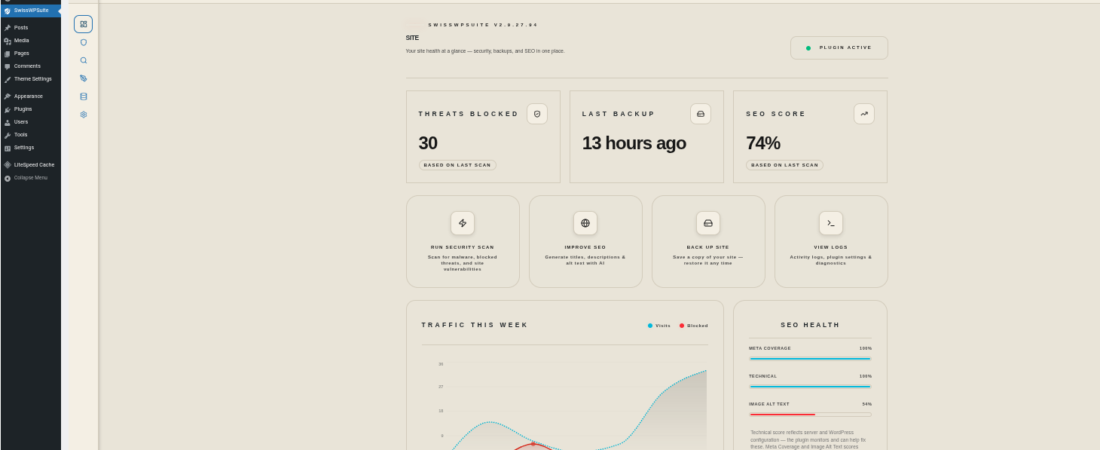
If you’re managing multiple WordPress sites or don’t have time to manually configure each of these hardening layers, SwissWPSuite handles the entire stack from a single dashboard. Its Sentinel Security module runs a two-layer scan: a deterministic local scanner that checks PHP files in uploads, matches 24 malware signature patterns (including eval-decode chains and shell execution), compares core file checksums, and flags suspicious filenames — plus an AI-powered second layer that correlates findings against live CVE data and generates attack chain analysis. The hardening module blocks PHP execution in uploads at the server level, enforces security headers, and enables TOTP 2FA — all without touching a line of code.
What This Attack Tells Us About 2026
The April 2026 supply chain attack is not an isolated incident. It’s a signal. As WordPress powers roughly 43% of the web, it is an increasingly attractive acquisition target for attackers willing to play a long game — buying trust, waiting, then weaponizing it at scale. The eight-month dormancy period in this case was deliberate: more propagation, more installs, bigger impact when the trigger fires.
The WordPress sites that were cleaned up fastest in the days following April 7 had one thing in common: they already had active file scanning in place. The scan found the dropped webshells before the attackers could use them for persistent access.
Update your plugins. But more importantly — scan your files, harden your server, and stop trusting that “installed from WordPress.org” means “permanently safe.”
SWISSWPSUITE PRODUCT ANGLE:
The SwissWPSuite Security module addresses the April 2026 supply chain attack threat through three specific layers of its 10-layer defense architecture. The Sentinel Scanner’s M1 modules directly cover this attack type: M1-A flags PHP files in the uploads directory (a primary webshell drop location), M1-B matches 18 regex patterns for known webshell filenames (including AnonymousFox, WSO, and c99shell variants), M1-C scans PHP file content against 24 malware signature patterns — specifically including eval-decode chains (eval(base64_decode(, eval(gzinflate(), superglobal injection into shell functions (system($_POST)), and file manipulation from user input — and M1-D compares every WordPress core file against official WordPress.org checksums to detect post-compromise modification. Beyond scanning, the Layer 3 Hardening module’s blockphpuploads option writes an .htaccess rule blocking PHP execution in wp-content/uploads at the server level (Apache, LiteSpeed compatible), and the 2FA module (Pro) implements RFC 6238 TOTP — meaning even a rogue admin account created by a backdoor cannot be used to log into the dashboard without the authenticator app code.
Run a full file integrity scan on your WordPress site today — not next week. Start with SwissWPSuite’s free Sentinel scan to check for backdoor signatures, PHP-in-uploads, and modified core files right now.