
A plugin vulnerability warning feels like a clear task. Update the plugin, move on, and get back to work.
That is exactly where many WordPress admins get trapped. The warning gets attention, but the real risk often sits in what nobody checks after the patch: weak settings, missed signs of compromise, and backups that exist on paper but have never been trusted on restore day.
A recent Wordfence weekly report published on May 1 logged 157 vulnerabilities across 122 plugins and 27 themes in one week. Patchstack’s 2026 report makes the pattern even harder to ignore: 91% of WordPress vulnerabilities were found in plugins, and 46% did not receive a developer fix in time for public disclosure. This is why one plugin issue is rarely just one plugin issue.
The false belief that creates cleanup work
A lot of WordPress advice still treats vulnerability management like a single move:
See the alert.
Update the plugin.
Assume the risk is closed.
That is the fast fix. It is not always the real fix.
If the patch is delayed, partial, or unavailable, the admin is no longer doing simple maintenance. They are managing exposure. Even when an update is available, the patch only answers one question: has the known flaw been addressed. It does not answer whether the rest of the site is still easy to abuse, whether an attacker already left something behind, or whether recovery will be clean if the site needs rollback work.
Why this problem keeps getting worse
The volume is part of the problem.
When a single weekly report can track 157 vulnerabilities across plugins and themes, many teams are no longer dealing with one alert at a time. They are dealing with triage pressure, plugin sprawl, conflicting priorities, and the very normal tendency to stop as soon as the most visible task is done.
The vulnerability classes also show why the problem repeats. Patchstack’s statistics page lists Cross-Site Scripting at 36.50% and Broken Access Control at 26.25% among WordPress vulnerabilities. That means the risk is not only bad luck. It is recurring exposure patterns showing up across the ecosystem.
What most admins never check next
This is where normal maintenance turns into real operator work.
After a plugin warning, the better questions are:
Is the vulnerable component still installed anywhere on the site ?
Is the installed version actually affected, and is the fix confirmed ?
Are weak defaults still giving attackers an easier path, such as XML-RPC exposure, user enumeration, or editable code in the dashboard ?
Did anything else change before the patch happened, such as fake admin accounts, modified core files, or exposed debug output ?
If rollback becomes necessary, is there a clean local restore point you would actually trust ?
Those checks matter because patching is only one layer of response.
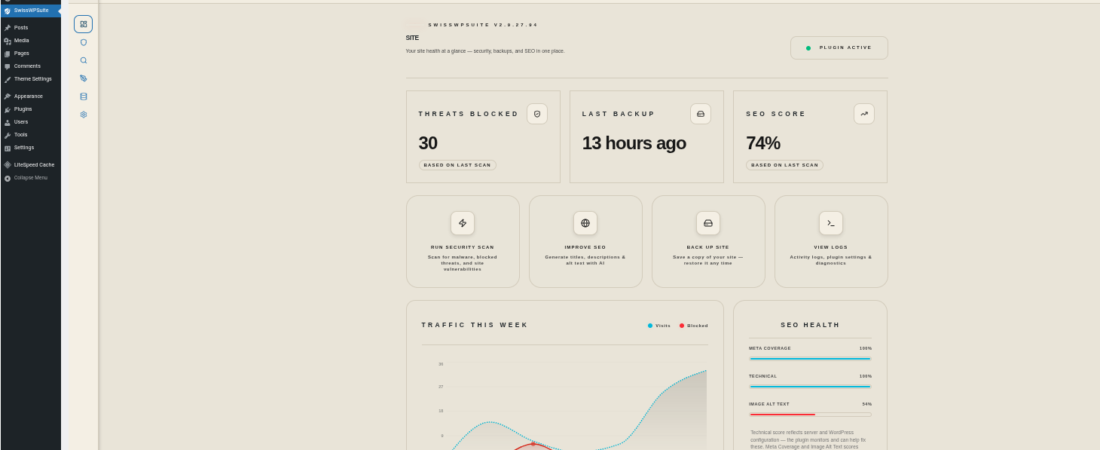
SwissSuite-AI’s Security module is relevant here because it is not limited to one alert banner. Its scanning coverage includes WordPress core integrity, plugin inventory, vulnerable plugin detection, XML-RPC status, REST user enumeration exposure, debug.log checks, sensitive file exposure, admin username checks, and excessive administrator detection that can help surface persistence risk.
That does not mean it blocks every plugin exploit. It means it gives admins a broader view of what still needs attention after the first warning.
The hidden gap between backup and recovery
The second dangerous assumption is even more common: “we have backups.”
That sounds responsible. It is still incomplete.
SwissSuite-AI’s backup reference shows a clear split between having backup functionality and having broader recovery tooling. Free tier supports manual local backup creation, local backup download, local backup list, and restore from local backup. Paid tiers extend that with scheduled backups, cloud upload, encrypted archives, orphan management, and Sentinel backup monitoring.
That matters because storage is not recovery. A backup only reduces stress if it is recent enough, clean enough, and practical enough to restore under pressure. A lot of WordPress teams discover that gap only when the site is already broken, customers are waiting, and nobody is sure which restore point is safe.
Where SwissSuite-AI fits without overclaiming
SwissSuite-AI fits this topic well, but only when described honestly.
Use the Security module as the control layer for:
scanning beyond the obvious plugin warning,
hardening weak defaults,
reducing brute-force exposure with login lockout,
adding 2FA on paid tiers,
improving visibility into the wider attack path.
Use the Backup module as the recovery layer for:
local backups and local restore in free tier,
scheduled backups in paid tiers,
cloud backup destinations in paid tiers,
encrypted archives in paid tiers,
reducing the chance that a plugin incident turns into slow, improvised recovery.
The important point is this: SwissSuite-AI helps reduce exposure and response pain. It should not be described as a guarantee that no plugin flaw can hurt a site.
How to reduce this risk now
If your site depends on WordPress for leads, sales, bookings, or client trust, treat plugin warnings as the start of a checklist, not the end of one.
Check now:
Remove unused plugins and themes.
Confirm affected versions instead of assuming every alert applies to your stack.
Review weak defaults, especially XML-RPC exposure, user enumeration, and dashboard code-edit paths if they are not needed.
Run a broader security review that checks integrity, sensitive files, admin account anomalies, and vulnerability exposure, not just one plugin version.
Keep at least one clean local restore point before major plugin changes or emergency response work.
If recovery speed matters, review whether free-tier local backup is enough or whether you need paid scheduling, cloud copies, and encrypted archives for your workflow.
The dangerous part is not the warning itself. It is the false sense of closure that comes after it.
Audit what stays exposed after the patch. Then use SwissSuite-AI to reduce risk across scanning, hardening, login protection, and recovery readiness.