
The moment your organic traffic drops 40% in Google Search Console, you will not think “supply chain attack.” You will think: bad content month, algorithm update, something I did. The real cause will have been invisible on your site for weeks before you looked.
That is exactly what is happening to WordPress site owners right now who ran any plugin from the Essential Plugin portfolio — and it is happening even on sites where the auto-update already ran.
The cleanup window is not closed. For thousands of sites, the damage is still in progress.
What Actually Happened — And Why the “Fix” Wasn’t One
In mid-2025, someone purchased 30+ WordPress plugins from a digital marketplace called Flippa for a six-figure sum. The plugins, sold under the brand Essential Plugin (formerly WP Online Support), had a combined 400,000 active installations across WordPress sites worldwide.
The buyer’s very first code commit was a backdoor — a piece of malicious code disguised as a routine compatibility update. It sat dormant for eight months.
On April 5, 2026, it activated.
Here is what the backdoor did:
It injected itself into wp-config.php, WordPress’s master configuration file — the file that controls how your entire site connects to its database and runs
It started serving cloaked SEO spam — hidden links and spam content — but only to Googlebot, the search engine’s crawler
To any human visitor, including the site owner, the site looked completely normal
Google, however, was reading a compromised version of every affected page
This is called cloaking — showing one version of your site to humans and another to Google. Google penalises it severely, regardless of whether the site owner knew about it. The algorithm does not distinguish between a deliberate spammer and a hacked victim.
WordPress.org permanently closed all 31 plugins on April 7, 2026. Two days after activation. Fast response. But the auto-update that followed did something important — and something it did not do.
What the auto-update did: It disabled the backdoor’s phone-home mechanism — the part that phoned back to the attacker’s command server.
What the auto-update did NOT do: Remove the injected code from wp-config.php. Clean the malware module. Reverse the SEO damage.
Sites that were already infected before the auto-update are still serving hidden spam to Googlebot. Right now.
The False Belief Keeping Owners Exposed
Most site owners running any affected plugin are operating on one assumption: the problem is handled. WordPress pushed an update. The plugin is closed. Done.
That assumption is wrong — and it is costing affected sites organic traffic every day it persists.
The auto-update was a containment measure, not a cleanup. It stopped new infections from spreading further. It did not go back and scrub what the backdoor had already written into your site’s files.
Think of it this way: someone broke into your house, changed the locks while they were inside, and then left. A locksmith came and changed the locks back — but nobody checked whether anything inside was moved, copied, or left behind.
The malicious code is still there on infected sites. Google’s crawler is still reading it.
The Chain From Backdoor to Ranking Collapse
This is how the damage accumulates — and why it is silent until it is expensive:
Day 1–8 (dormant period): Backdoor sits undetected in plugin code across 400,000 installs
April 5: Backdoor activates. wp-config.php is modified. Cloaked spam content begins serving to Googlebot
April 7: WordPress.org closes the plugins. Auto-update disables phone-home
Weeks following: Google crawls affected pages, indexes spam content, begins re-evaluating site quality signals
4–8 weeks out: Organic rankings start dropping. Google Search Console may show manual actions or index coverage drops
90–180 days: Without a full cleanup, affected sites face approximately $27,000 to $54,000 in lost organic revenue — based on conservative estimates of $300 per day in suppressed traffic over a 3 to 6 month suppression window
The worst part of this chain: stage one through stage four are invisible. You only discover the problem at stage five — when the traffic is already gone.
Which Plugins Were Affected
The Essential Plugin portfolio covered a wide range of common WordPress use cases. If your site ever ran any of these categories of plugins from this author, you are potentially affected:
Contact form plugins
Social sharing plugins
SEO utility plugins
Post slider or display plugins
Analytics or tracking plugins
Login and user management plugins
The author was listed under “Essential Plugin” and previously “WP Online Support” on WordPress.org. WordPress.org’s permanent closure of all 31 plugins is the confirmation signal — if you received a notice that a plugin was closed, or if any of your installed plugins now shows as “closed” on WordPress.org, treat it as a potentially infected plugin until confirmed otherwise.
What to Check Right Now — Under 10 Minutes
This check costs nothing. It takes under 10 minutes. Do it before anything else.
Step 1 — Check your installed plugins list
Go to your WordPress dashboard → Plugins → Installed Plugins.
Look for any plugin marked “Plugin closed” or showing no update path. This is the signal.
Step 2 — Open wp-config.php directly
Use your hosting file manager or FTP to open wp-config.php in the root of your WordPress installation.
You are looking for code that was not there before — particularly anything that:
Appears at the very top or bottom of the file, outside the standard WordPress structure
Contains obfuscated PHP (long strings of random-looking characters, base64_decode, eval()
References unfamiliar external domains
If you find injected code: do not simply delete it and assume the problem is solved. The wp-config.php injection is one entry point — a full forensic review of your site files is required.
Step 3 — Check Google Search Console
Log in to Google Search Console for your domain.
Check: Coverage → Excluded pages. Check: Security & Manual Actions → Manual Actions.
A spike in excluded pages or a manual action notice is confirmation that Google has already seen the spam content.
Step 4 — Check your organic traffic trend
In Google Analytics or Search Console, pull your organic traffic for the last 60 days.
An unexplained drop of 15% or more that does not correlate with any content change you made is a warning signal.
What This Costs — And Where SwissSuite-AI Fits
Emergency malware cleanup for a site with a modified wp-config.php and cloaked spam injection runs approximately $2,000 to $5,000 for a professional developer, and $8,000 to $15,000 if a full audit and file restoration are required. Recovery of suppressed Google rankings takes 3 to 6 months on average — even after the malicious code is fully removed.
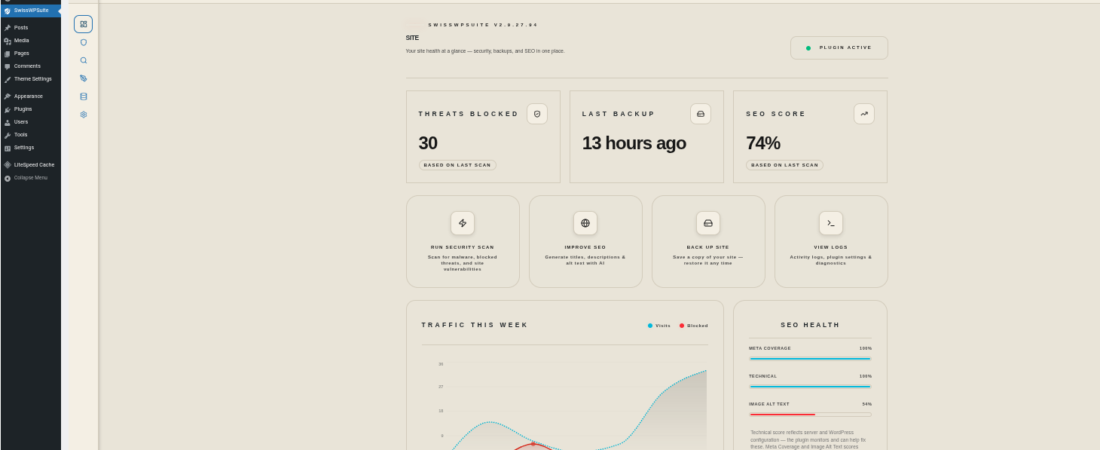
The SwissSuite-AI Security module provides ongoing file integrity monitoring that flags unauthorised changes to core files including wp-config.php — the exact file this attack modified. When a change appears in a file it should not appear in, the module alerts you before Google’s crawler has read it multiple times.
The SwissSuite-AI Backup module gives you a verified clean restore point — a confirmed pre-infection snapshot you can roll back to if a forensic review confirms active compromise, rather than spending $8,000 to reconstruct a clean site from scratch.
Prevention cost: from $99.99 per year.
Cleanup cost without it: $2,000 to $15,000, plus 3 to 6 months of ranking recovery.
That ratio is not a selling point. It is an arithmetic problem with one correct answer.
The Action That Cannot Wait
If your site ran any Essential Plugin, the auto-update was not the end of the story. It was the beginning of the cleanup phase — a phase that thousands of site owners have not yet started.
Open wp-config.php today. Check Google Search Console today. If you see injected code or traffic anomalies, treat the site as compromised and start the forensic review before Google’s next crawl cycle compounds the damage.
The cloaking is invisible to you. It is not invisible to Google.